In late November, 2024, Gerardo from Reigning Phoenix Music hit me up and said he wanted me more closely involved in the next Cold Slither music video. They’d gotten the rights to use footage from an episode of the G.I. Joe cartoon, “Cobra Claws are Coming to Town,” and Gus had written and recorded a song to go with it. He wanted me in creatively as a visionary type fella, but probably more as a huge G.I. Joe fan.
We started a group chat with Costin Chioreanu, who’d done awesome animation for the first four Cold Slither videos. I pitched an idea, and that’s when Costin dropped the bomb that he was already over-booked by RPM and wouldn’t have time to start anything except a simple edit maybe half-way through December. That was understandable but sucked for us. A Christmas video needed to come out before Christmas! So, I thought, I can edit an old show; I already do it for the videos we play during the live show. And hey, I could do a whole lot more if I put my mind to it!
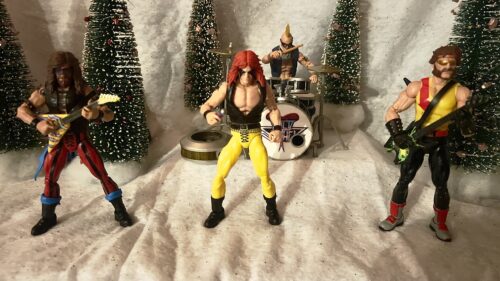
I was going to do stop-motion animation and make this an old school holiday special, courtesy of the greatest heavy metal band in the world, Cold Slither. Now, I just needed to figure out how to do stop motion animation!
Okay, so I DO know how to do stop motion animation. I’d done it as a kid with an old Super 8 camera. My first film was a horror film that I wrote, directed, and starred in. And it’s a real doozy about a sandwich… a KILLER sandwich.
That was my bonafides. But I hadn’t done stop motion animation in a long time. The method is different now. For my first test footage, all of which ended up in the video, I bought some holiday miniature sets from Michael’s that basically fit my 1:18 G.I. Joes.
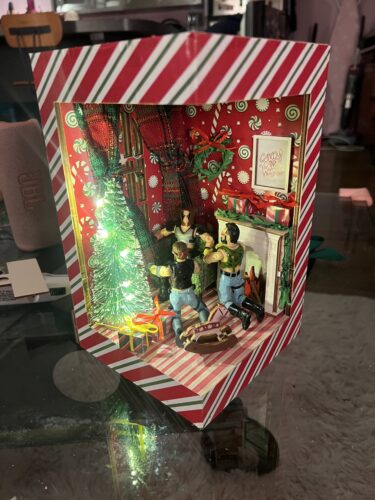
I used a method where I filmed them in 16×9 format on my phone and gently moved them around at what I thought was a good pace for the animation. Then, I imported this into Adobe Premiere and cut the footage up into segments. I stayed up all night and made about 45 seconds of footage this way.
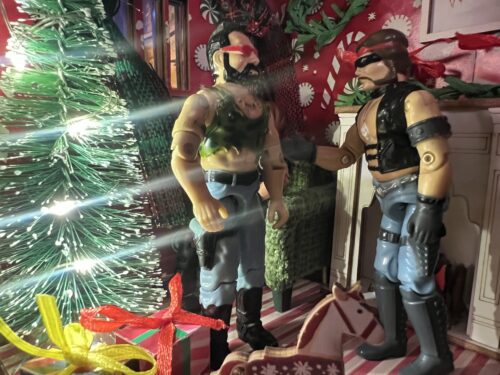
This worked well enough and when I showed the test footage to the band and RPM, they were ecstatic. Okay, we would have a unique holiday video and they were handing the sleigh-bell laden reigns over to me to finish the thing. Just one thing, Ross: Hasbro would very much like to see the new toys. Duh.
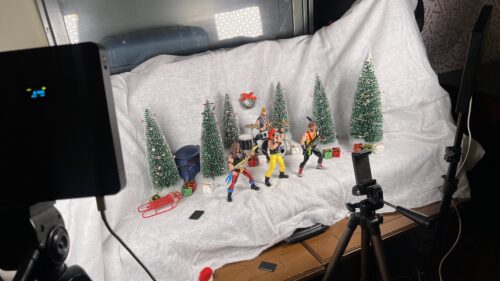
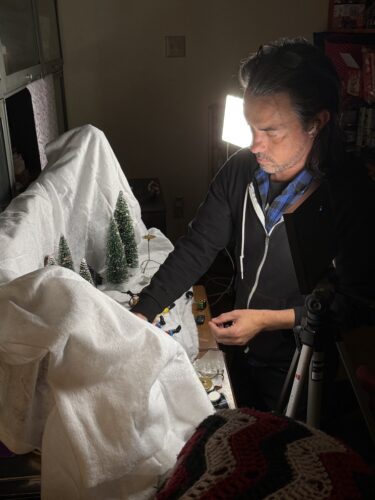
I tried contacting some people on Etsy who were 3-D printing stage sets for the Cold Slither action figures, but no one wrote me back. I needed all this stuff quick and guaranteed. It’s unfortunate because I thought it would be a nice showcase for their work and I was willing to pay, but c’est la vie. I had to come up with something fast. That’s when I remembered all those Christmas villages that moms like to put up and the snow blankets they use. Sure, that’d have to do.
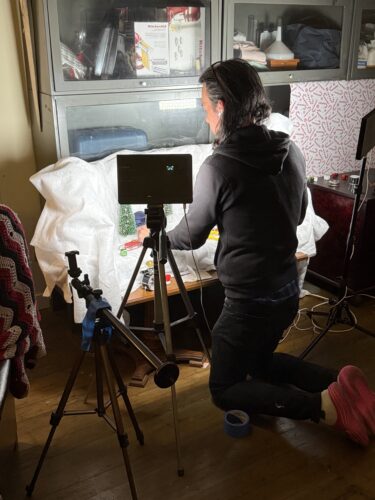
I set up in front of my food pantry and got to shooting. This time, I was a bit smarter about how to do the stop motion animation. I took 16×9 photos on my phone. I did the math for 10 frames per second of footage so I could make the characters match the actual BPM of the song. Typically, stop motion is more like 12 frames a second, but I was a little short on time and Adobe Premier’s import function for still image duration is in decimals; I figured my brain wouldn’t explode if I stuck to a base-10 system.
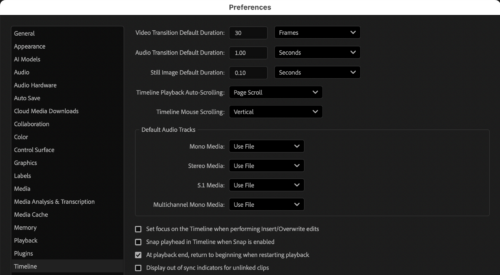
Little fun fact I found out… the still image duration is only applicable to files not yet imported. If they’ve been imported already, and you change the still image duration and then drop them in the timeline, they’ll drop in at whatever the still image duration was set to when you imported them. So, change your settings THEN import the photos. When you drop them in your timeline, they’ll look like this:
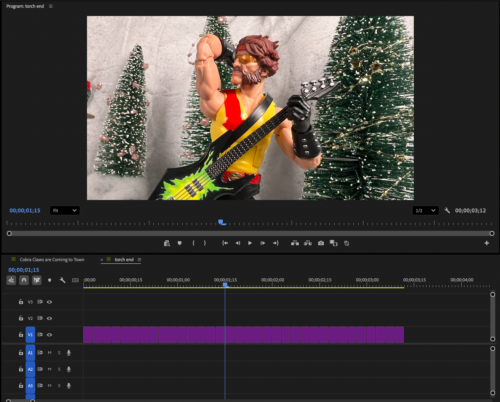
I said I went at about 10 FPS, but that’s a bit untrue. I did the math for 10 FPS, but the song is at 83 BPM. You might notice those numbers don’t evenly divide very well. I had to slightly speed up a lot of the footage to match the beats of the song. So, a lot of the footage probably is closer to 12 FPS.
Doing the video with photos instead of chopping up a video also meant I could clean up some mistakes, like if I accidentally left my finger in frame. I was also able to do some compositing and shoot the characters separately on a few occasions so I didn’t have as much to manipulate or keep track of for a shot.
To finalize the video, I did some intro graphics with Adobe After Effects and edited the cartoon footage into the video. My goal with the footage was to still maintain the narrative of the story and have it go along with the lyrics. I also messed around with some of the animation of Cobra Commander to make it match the talking bits that are in the end of the song: adding an arm wave, a longer laugh, a bunch of little movements that hopefully no one notices I worked on. I wanted it to feel like a real piece of cartoon footage from the ’80s.
Now, check out the video if you haven’t, or watch it again knowing I busted my ass to get this out on time!